%20--%3e%3cdefs%3e%3cstyle%3e%20.st0,%20.st1%20{%20fill:%20%23fff;%20}%20.st2%20{%20fill:%20%2372b62b;%20}%20.st3%20{%20fill:%20%233e3559;%20}%20.st1,%20.st4%20{%20display:%20none;%20}%20.st5%20{%20fill:%20%23d1cb08;%20}%20%3c/style%3e%3c/defs%3e%3cg%20id='Ebene_3'%20class='st4'%3e%3crect%20class='st2'%20x='-.51'%20y='-.83'%20width='161.79'%20height='34.67'/%3e%3c/g%3e%3cg%20id='Ebene_2'%3e%3cg%3e%3crect%20class='st1'%20x='1.24'%20y='1.59'%20width='157.66'%20height='29.97'%20rx='5.11'%20ry='5.11'/%3e%3cpath%20class='st0'%20d='M154.46,33.01H5.67c-3.13,0-5.67-2.68-5.67-5.97V6.03C0,2.74,2.54.06,5.67.06h148.79c3.13,0,5.67,2.68,5.67,5.97v21c0,3.29-2.54,5.97-5.67,5.97ZM5.67,1.13c-1.92-.02-4.66,2.2-4.66,4.91v21c0,2.71,2.69,4.91,4.66,4.91h148.79c2.57,0,4.66-2.2,4.66-4.91V6.03c0-2.71-2.09-4.91-4.66-4.91H5.67Z'/%3e%3c/g%3e%3cg%3e%3crect%20class='st3'%20x='1.4'%20y='1.57'%20width='157.49'%20height='29.97'%20rx='5.11'%20ry='5.11'/%3e%3cpath%20class='st3'%20d='M154.34,32.02H6.06c-2.45,0-5.05-2.33-5.05-4.82V6.05C1.01,3.22,3.46,1.07,5.93,1.05h148.34c3.39,0,4.85,2.88,4.85,4.97v20.98c0,2.55-1.88,5.03-4.78,5.03ZM6.3,2.05C3.76,2.05,1.9,4.12,1.9,6.66v19.74c0,2.54,1.94,4.61,4.48,4.61h147.4c2.54,0,4.61-2.07,4.61-4.61V6.66c0-2.54-2.07-4.61-4.61-4.61H6.3ZM159.12,26.99c0,2.49-1.88,5.03-4.78,5.03'/%3e%3c/g%3e%3crect%20class='st5'%20x='1.93'%20y='2.05'%20width='82.75'%20height='28.97'%20rx='4.6'%20ry='4.6'/%3e%3cg%3e%3cpath%20class='st0'%20d='M6.53,26.54V6.93h5.66c7.23,0,10.84,3.19,10.84,9.56,0,3.03-1,5.46-3.01,7.29-2.01,1.84-4.69,2.75-8.07,2.75h-5.43ZM9.77,9.7v14.1h2.6c2.29,0,4.07-.63,5.34-1.89s1.91-3.04,1.91-5.33c0-4.58-2.37-6.88-7.12-6.88h-2.72Z'/%3e%3cpath%20class='st0'%20d='M34.7,26.87c-2.83,0-5.09-.92-6.79-2.75-1.7-1.83-2.55-4.22-2.55-7.15,0-3.15.87-5.67,2.6-7.55,1.73-1.88,4.08-2.82,7.05-2.82,2.75,0,4.97.91,6.65,2.73,1.68,1.82,2.52,4.21,2.52,7.15,0,3.2-.86,5.73-2.58,7.59s-4.02,2.79-6.9,2.79ZM34.85,9.46c-1.8,0-3.26.67-4.38,2.01-1.13,1.34-1.69,3.1-1.69,5.29s.55,3.93,1.64,5.26,2.52,2,4.29,2c1.88,0,3.36-.63,4.44-1.9,1.08-1.27,1.63-3.04,1.63-5.32s-.53-4.15-1.58-5.43c-1.05-1.28-2.5-1.91-4.35-1.91Z'/%3e%3cpath%20class='st0'%20d='M61.45,25.72c-1.48.77-3.31,1.15-5.51,1.15-2.84,0-5.12-.9-6.84-2.69-1.71-1.8-2.57-4.15-2.57-7.07,0-3.14.96-5.67,2.89-7.6,1.93-1.93,4.36-2.9,7.31-2.9,1.9,0,3.47.27,4.72.81v3.23c-1.32-.78-2.78-1.18-4.38-1.18-2.12,0-3.84.68-5.16,2.04-1.32,1.36-1.98,3.17-1.98,5.44s.62,3.88,1.85,5.16,2.85,1.92,4.85,1.92c1.85,0,3.45-.44,4.81-1.31v3.01Z'/%3e%3cpath%20class='st0'%20d='M80.25,18.61c0,5.5-2.61,8.26-7.82,8.26s-7.49-2.65-7.49-7.94V6.93h3.25v11.32c0,3.85,1.49,5.77,4.48,5.77s4.32-1.85,4.32-5.56V6.93h3.25v11.68Z'/%3e%3c/g%3e%3cg%3e%3cpath%20class='st5'%20d='M105.88,26.54h-3.55l-9.37-14.41c-.24-.36-.43-.74-.59-1.13h-.08c.07.42.11,1.32.11,2.69v12.85h-3.14V6.93h3.79l9.05,14.07c.38.58.63.98.74,1.2h.05c-.09-.52-.14-1.4-.14-2.64V6.93h3.13v19.61Z'/%3e%3cpath%20class='st5'%20d='M116.45,26.54h-3.35V6.93h3.35v19.61Z'/%3e%3cpath%20class='st5'%20d='M137.03,8.36l-10.75,15.44h10.61v2.75h-15.16v-1.49l10.79-15.35h-9.95v-2.76h14.46v1.42Z'/%3e%3cpath%20class='st5'%20d='M153.48,26.54h-11.01V6.93h10.57v2.76h-7.31v5.55h6.74v2.75h-6.74v5.8h7.75v2.75Z'/%3e%3c/g%3e%3c/g%3e%3c/svg%3e)

Always the right template. Centrally managed.
Manage Word, PowerPoint, and Excel templates in one central place and ensure your teams always work with up-to-date, approved versions.
 Microsoft 365 integrated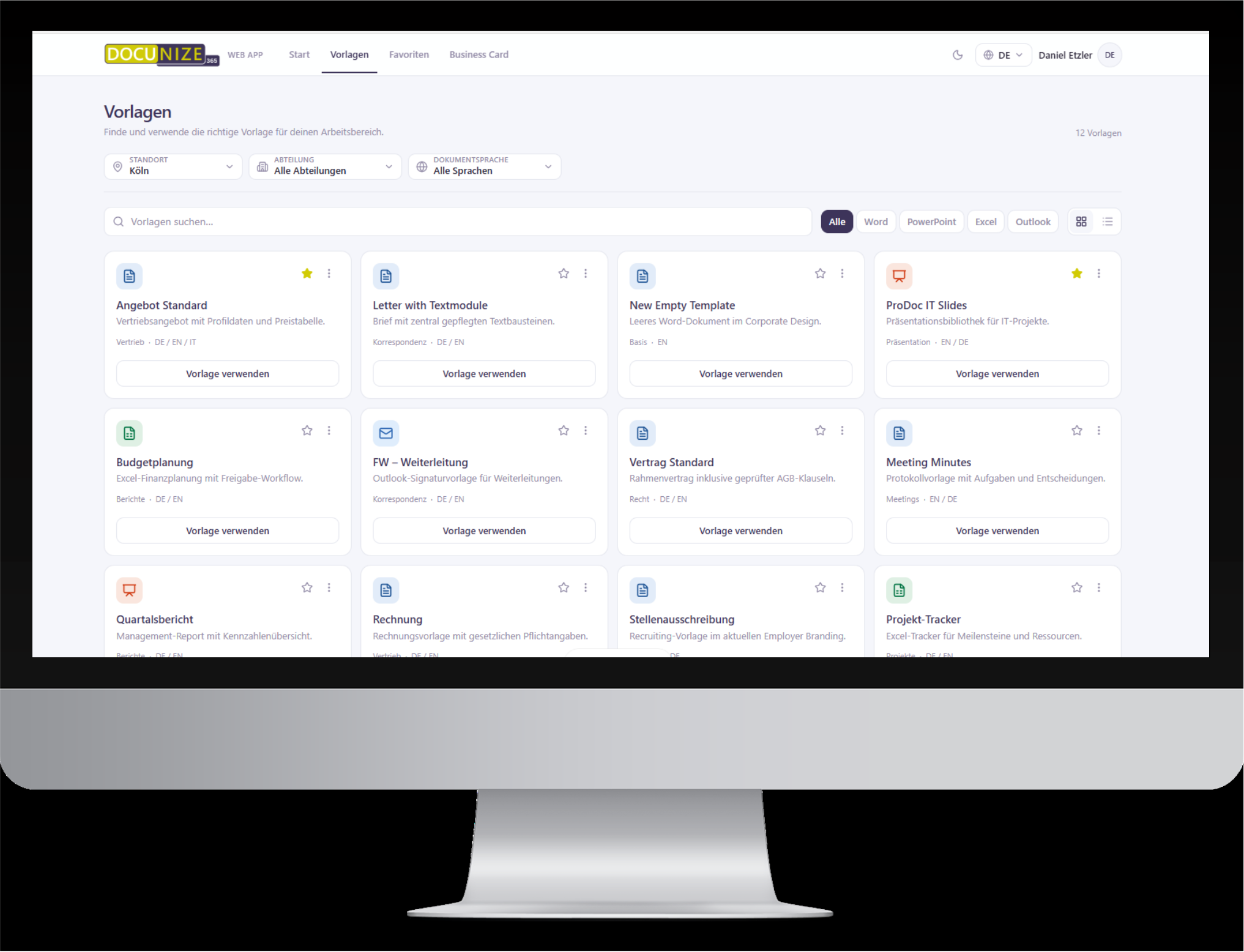
“Where is the current template again?”
An everyday question that wastes time in companies and also invites mistakes.
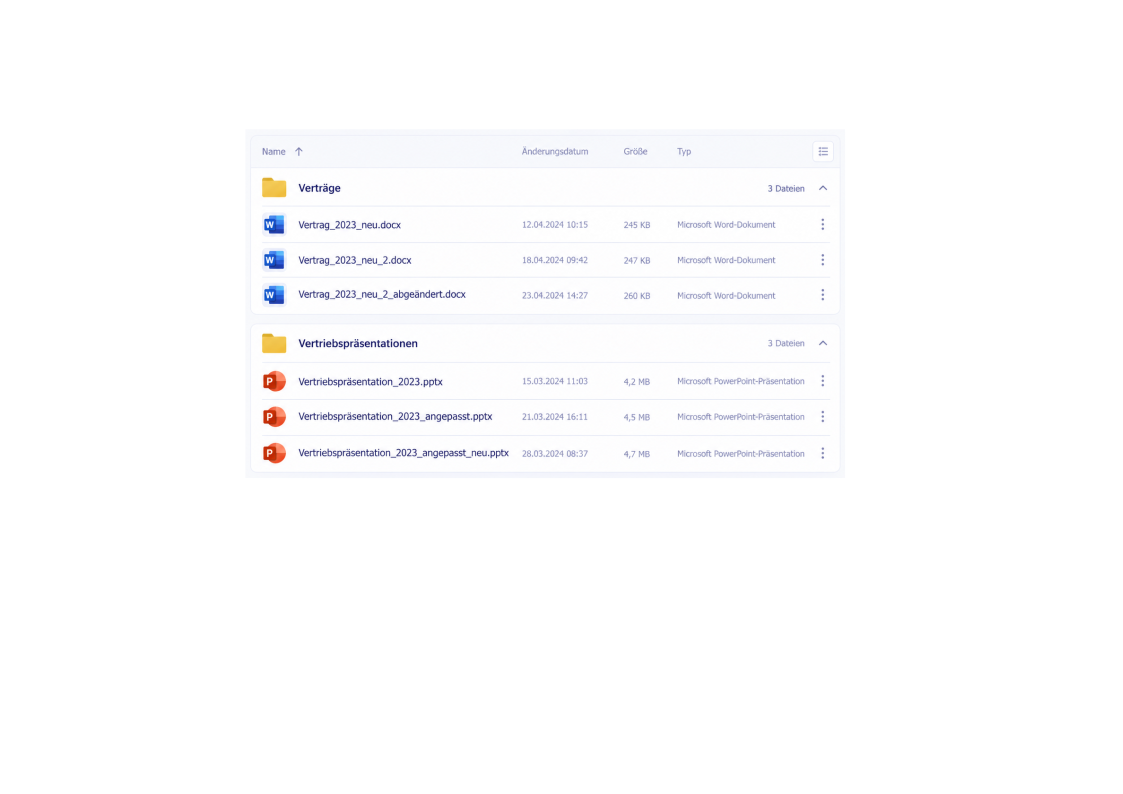
People quickly search different folders, drives, or repositories for the current version. If it is not clear which template is approved, employees fall back on existing files or copy older documents.
Time lost
Employees search for templates instead of working on the actual content.
Version uncertainty
It is not reliably clear which file is current and approved.
Errors and inconsistency
Outdated content, logos, or details can continue to be used in new documents.
One central source instead of many individual files.
Employees no longer need to know where a template is stored. They select the template approved for them directly in their familiar work environment.
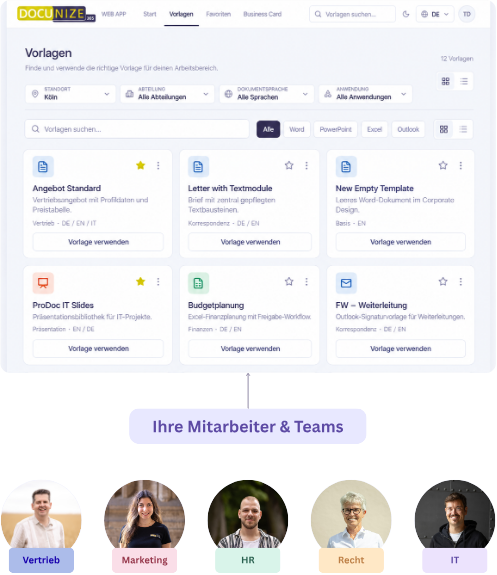
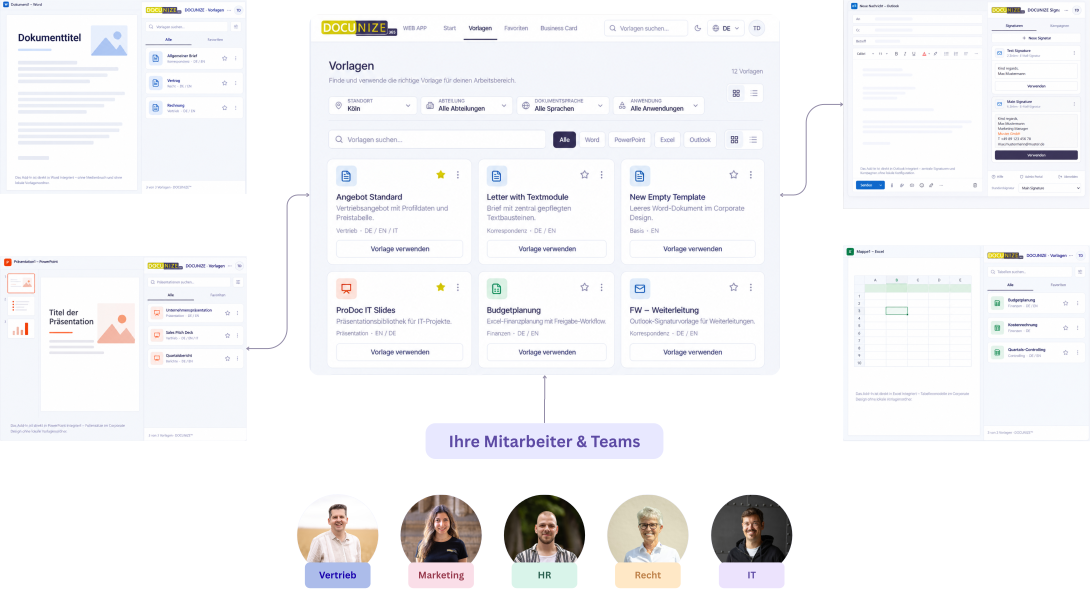
From central management to the right template at the workplace.
Manage templates centrally
Word, PowerPoint, and Excel templates are maintained centrally in DOCUNIZE.
Define roles and audiences
Define which teams, locations, or employees may use which templates.
Deploy templates
Approved templates are made available to the corresponding Microsoft 365 users.
Select a template and get to work
Employees access the templates intended for them directly and can start creating documents.
One central template. Different documents.
Maintain central building blocks once and deploy matching templates and documents for different business areas from them.
Your source template
Nachname Vorname
Firma
Straße
Stadt
Telefon: xxx
[Empfänger aus Outlook-Kontakten wählen]
Sehr geehrte Damen und Herren,
[Grußformel]
Vorname Nachname
Bank: Hamburger Sparkasse · IBAN DE12 1234 5678 9012 3456 78
USt-IdNr. DE123456789 · Registergericht Hamburg HRB 12345
Geschäftsführer: Anna Berger
DOCUNIZE template
Firmenlogo
Briefkopf
Sehr geehrte Damen und Herren
Grußformel
Vorname Nachname
E-Mail-Adresse
Firmenname
Allgemeine Fußzeile
Deployed document
Müller Franz
Service GmbH
Servicestraße 12
20095 Hamburg
Telefon: +49 40 555 0123
Sehr geehrte Damen und Herren,
Freundliche Grüße,
Müller Franz
franz.mueller@prodoc-service.com
PRODOC Service GmbH
Bank: Hamburger Sparkasse · IBAN DE12 1234 5678 9012 3456 78
USt-IdNr. DE123456789 · Registergericht Hamburg HRB 12345
Geschäftsführer: Anna Berger
1 / 3
Your source template
Nachname Vorname
Firma
Straße
Stadt
Telefon: xxx
[Empfänger aus Outlook-Kontakten wählen]
Sehr geehrte Damen und Herren,
[Grußformel]
Vorname Nachname
Bank: Hamburger Sparkasse · IBAN DE12 1234 5678 9012 3456 78
USt-IdNr. DE123456789 · Registergericht Hamburg HRB 12345
Geschäftsführer: Anna Berger
DOCUNIZE template
Firmenlogo
Briefkopf
Sehr geehrte Damen und Herren
Grußformel
Vorname Nachname
E-Mail-Adresse
Firmenname
Allgemeine Fußzeile
Deployed document
Müller Franz
Service GmbH
Servicestraße 12
20095 Hamburg
Telefon: +49 40 555 0123
Sehr geehrte Damen und Herren,
Freundliche Grüße,
Müller Franz
franz.mueller@prodoc-service.com
PRODOC Service GmbH
Bank: Hamburger Sparkasse · IBAN DE12 1234 5678 9012 3456 78
USt-IdNr. DE123456789 · Registergericht Hamburg HRB 12345
Geschäftsführer: Anna Berger
Less template chaos. More control.
Without central template management
- Scattered folders and repositories
- Different file versions
- Unclear ownership
- Manual distribution of changes
- Inconsistent documents and brand presence
With DOCUNIZE
- One central template source
- Approved and up-to-date content
- Role-based deployment
- Less manual maintenance
- More consistent corporate communication
Everything you need for centrally controlled Office templates.
Central template management
Manage Word, PowerPoint, and Excel templates from one shared environment.
Role-based deployment
Define which templates are available for specific teams, locations, or users.
Approved content
Ensure users access the intended and current company templates.
Direct Microsoft 365 integration
Make templates available where employees work every day.
Central updates
Organize changes to centrally managed templates without decentralized file repositories.
Scalable management
Organize template structures clearly across multiple teams, business units, or companies.
Centrally administered. Directly available to your users.
Simple integration into Microsoft 365
DOCUNIZE fits into your existing Microsoft 365 work environment. Employees access deployed templates directly in the applications they already use every day.
Role-based access rights
Define which employees or teams may access which templates. Content stays available as intended, and central administration keeps control.
More efficiency and consistency through central template management.
When templates are maintained centrally and deployed purposefully, employees spend less time searching and coordinating—and more time on the actual content of their documents.
Less searching
Find approved templates faster.
Control centrally
Manage templates and content from one shared environment.
Protect brand standards
Provide employees with the intended layouts and content.
Simplify administration
Organize changes centrally instead of maintaining files in multiple places.
Frequently asked questions about central template management.
Stop searching for the right template.
In a personal demo we show you how DOCUNIZE centralizes your existing Office templates, deploys them by role, and makes them available directly in Microsoft 365.