%20--%3e%3cdefs%3e%3cstyle%3e%20.st0,%20.st1%20{%20fill:%20%23fff;%20}%20.st2%20{%20fill:%20%2372b62b;%20}%20.st3%20{%20fill:%20%233e3559;%20}%20.st1,%20.st4%20{%20display:%20none;%20}%20.st5%20{%20fill:%20%23d1cb08;%20}%20%3c/style%3e%3c/defs%3e%3cg%20id='Ebene_3'%20class='st4'%3e%3crect%20class='st2'%20x='-.51'%20y='-.83'%20width='161.79'%20height='34.67'/%3e%3c/g%3e%3cg%20id='Ebene_2'%3e%3cg%3e%3crect%20class='st1'%20x='1.24'%20y='1.59'%20width='157.66'%20height='29.97'%20rx='5.11'%20ry='5.11'/%3e%3cpath%20class='st0'%20d='M154.46,33.01H5.67c-3.13,0-5.67-2.68-5.67-5.97V6.03C0,2.74,2.54.06,5.67.06h148.79c3.13,0,5.67,2.68,5.67,5.97v21c0,3.29-2.54,5.97-5.67,5.97ZM5.67,1.13c-1.92-.02-4.66,2.2-4.66,4.91v21c0,2.71,2.69,4.91,4.66,4.91h148.79c2.57,0,4.66-2.2,4.66-4.91V6.03c0-2.71-2.09-4.91-4.66-4.91H5.67Z'/%3e%3c/g%3e%3cg%3e%3crect%20class='st3'%20x='1.4'%20y='1.57'%20width='157.49'%20height='29.97'%20rx='5.11'%20ry='5.11'/%3e%3cpath%20class='st3'%20d='M154.34,32.02H6.06c-2.45,0-5.05-2.33-5.05-4.82V6.05C1.01,3.22,3.46,1.07,5.93,1.05h148.34c3.39,0,4.85,2.88,4.85,4.97v20.98c0,2.55-1.88,5.03-4.78,5.03ZM6.3,2.05C3.76,2.05,1.9,4.12,1.9,6.66v19.74c0,2.54,1.94,4.61,4.48,4.61h147.4c2.54,0,4.61-2.07,4.61-4.61V6.66c0-2.54-2.07-4.61-4.61-4.61H6.3ZM159.12,26.99c0,2.49-1.88,5.03-4.78,5.03'/%3e%3c/g%3e%3crect%20class='st5'%20x='1.93'%20y='2.05'%20width='82.75'%20height='28.97'%20rx='4.6'%20ry='4.6'/%3e%3cg%3e%3cpath%20class='st0'%20d='M6.53,26.54V6.93h5.66c7.23,0,10.84,3.19,10.84,9.56,0,3.03-1,5.46-3.01,7.29-2.01,1.84-4.69,2.75-8.07,2.75h-5.43ZM9.77,9.7v14.1h2.6c2.29,0,4.07-.63,5.34-1.89s1.91-3.04,1.91-5.33c0-4.58-2.37-6.88-7.12-6.88h-2.72Z'/%3e%3cpath%20class='st0'%20d='M34.7,26.87c-2.83,0-5.09-.92-6.79-2.75-1.7-1.83-2.55-4.22-2.55-7.15,0-3.15.87-5.67,2.6-7.55,1.73-1.88,4.08-2.82,7.05-2.82,2.75,0,4.97.91,6.65,2.73,1.68,1.82,2.52,4.21,2.52,7.15,0,3.2-.86,5.73-2.58,7.59s-4.02,2.79-6.9,2.79ZM34.85,9.46c-1.8,0-3.26.67-4.38,2.01-1.13,1.34-1.69,3.1-1.69,5.29s.55,3.93,1.64,5.26,2.52,2,4.29,2c1.88,0,3.36-.63,4.44-1.9,1.08-1.27,1.63-3.04,1.63-5.32s-.53-4.15-1.58-5.43c-1.05-1.28-2.5-1.91-4.35-1.91Z'/%3e%3cpath%20class='st0'%20d='M61.45,25.72c-1.48.77-3.31,1.15-5.51,1.15-2.84,0-5.12-.9-6.84-2.69-1.71-1.8-2.57-4.15-2.57-7.07,0-3.14.96-5.67,2.89-7.6,1.93-1.93,4.36-2.9,7.31-2.9,1.9,0,3.47.27,4.72.81v3.23c-1.32-.78-2.78-1.18-4.38-1.18-2.12,0-3.84.68-5.16,2.04-1.32,1.36-1.98,3.17-1.98,5.44s.62,3.88,1.85,5.16,2.85,1.92,4.85,1.92c1.85,0,3.45-.44,4.81-1.31v3.01Z'/%3e%3cpath%20class='st0'%20d='M80.25,18.61c0,5.5-2.61,8.26-7.82,8.26s-7.49-2.65-7.49-7.94V6.93h3.25v11.32c0,3.85,1.49,5.77,4.48,5.77s4.32-1.85,4.32-5.56V6.93h3.25v11.68Z'/%3e%3c/g%3e%3cg%3e%3cpath%20class='st5'%20d='M105.88,26.54h-3.55l-9.37-14.41c-.24-.36-.43-.74-.59-1.13h-.08c.07.42.11,1.32.11,2.69v12.85h-3.14V6.93h3.79l9.05,14.07c.38.58.63.98.74,1.2h.05c-.09-.52-.14-1.4-.14-2.64V6.93h3.13v19.61Z'/%3e%3cpath%20class='st5'%20d='M116.45,26.54h-3.35V6.93h3.35v19.61Z'/%3e%3cpath%20class='st5'%20d='M137.03,8.36l-10.75,15.44h10.61v2.75h-15.16v-1.49l10.79-15.35h-9.95v-2.76h14.46v1.42Z'/%3e%3cpath%20class='st5'%20d='M153.48,26.54h-11.01V6.93h10.57v2.76h-7.31v5.55h6.74v2.75h-6.74v5.8h7.75v2.75Z'/%3e%3c/g%3e%3c/g%3e%3c/svg%3e)

Administer centrally. Provision with control. Directly in Microsoft 365.
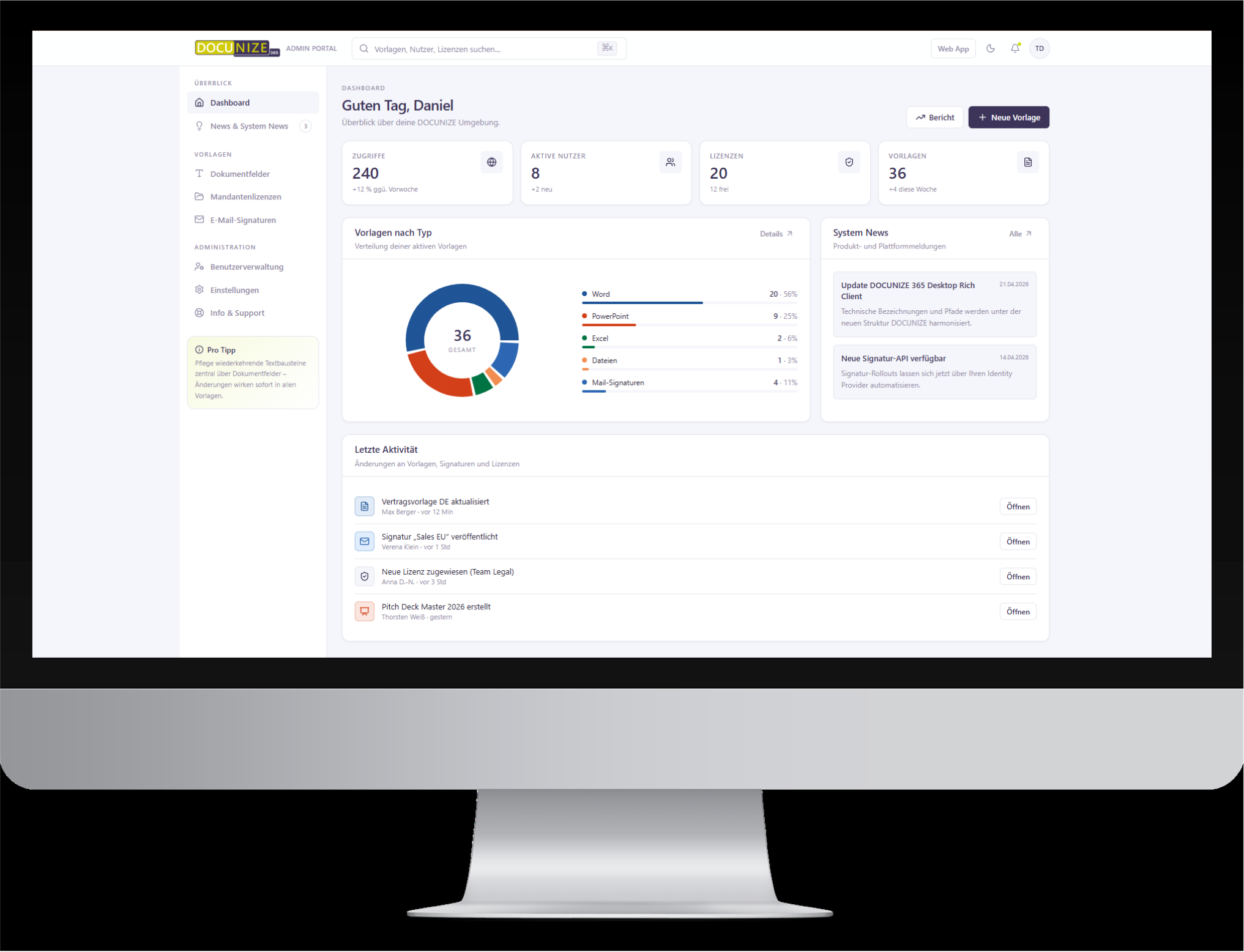
DOCUNIZE connects central administration with Azure Entra ID and Microsoft 365. That way you reduce decentralised storage, individual maintenance, and recurring support.







When content is managed decentrally, the effort lands with IT.
Decentralised storage
Templates are stored in different places.
Result: Changes must be distributed multiple times.
Individual workarounds
Employees create their own templates or copies.
Result: Standards and currency are hard to control.
Manual user maintenance
New employees or role changes must be handled in multiple places.
Result: Recurring administration.
Unclear provisioning
Not every user needs the same content.
Result: More follow-up questions and unnecessary content.
DOCUNIZE creates a central control layer for templates, signatures, and other Microsoft 365 content.
One central environment for content, roles, and provisioning.
Administer centrally
Manage templates, signatures, and content together.
Use identities
Include user and group information from Azure Entra ID.
Provision by role
Make content available specifically for teams and users.
Update centrally
Manage changes in one place.
 Microsoft 365
Four features. One shared administration logic.
Template management
Centrally manage Office templates and provision them by role.
- central template source
- fewer local storage locations
- role control
Document automation
Integrate data and approved content into document processes in a controlled way.
- structured data sources
- central template logic
- fewer individual workarounds
Email signatures
Manage Outlook signatures centrally instead of per user.
- central administration
- user and group logic
- less individual signature maintenance
Digital business cards
Use employee data centrally for digital contact details.
- existing identity data
- less duplicate maintenance
- central provisioning
From Azure Entra ID to the right content in Microsoft 365.
01Connect Microsoft 365
Connect DOCUNIZE to the existing environment.
Manage content centrally
Organise templates, signatures, and other content.
Define roles
Define which users or groups receive which content.
Provision
Make approved content available directly for Microsoft 365 users.
Use existing identities. Keep control.
Use user information centrally
Existing details from Azure Entra ID are used for content.
Provision content by role
Users and groups receive the content intended for them.
Define rights and responsibilities
Define who may maintain and approve content.
Manage multiple organisational units
Map entities, locations, and teams in a structured way.
Marketing maintains content. IT keeps control.
Marketing
- Templates
- Logos & layouts
- Text blocks
- Signatures
- Campaigns
IT
- Identities
- Roles & rights
- Microsoft 365
- Provisioning
- Governance
Maintain content where responsibility sits — control provisioning centrally.
Less one-off maintenance. More control over the overall system.
Simplify administration
Manage content from a shared environment.
Reduce support effort
Fewer questions about templates, signatures, and storage locations.
Provision standards with control
Users receive the content intended for their role.
Work more scalably
Structure teams, locations, and entities centrally.
Built for professional Microsoft 365 environments.
ISO 27001
DOCUNIZE is certified to ISO 27001.
GDPR & hosting
SaaS operation with hosting in Germany.
Azure Entra ID
Connection to existing identities, users, and groups.
Multi-tenancy
Map multiple entities and organisational units in a structured way.
When central administration works in day-to-day practice.
"DOCUNIZE enables us to provision templates centrally and automatically personalise documents for users."
 Source: OMR Reviews
"AD integration saves time by automatically taking over user data."
Source: OMR ReviewsCommon questions from IT & Administration.
See how DOCUNIZE fits into your Microsoft 365 environment.
In a personal demo, we show you how DOCUNIZE manages content centrally, connects Azure Entra ID, and provisions templates, signatures, and other content by role.